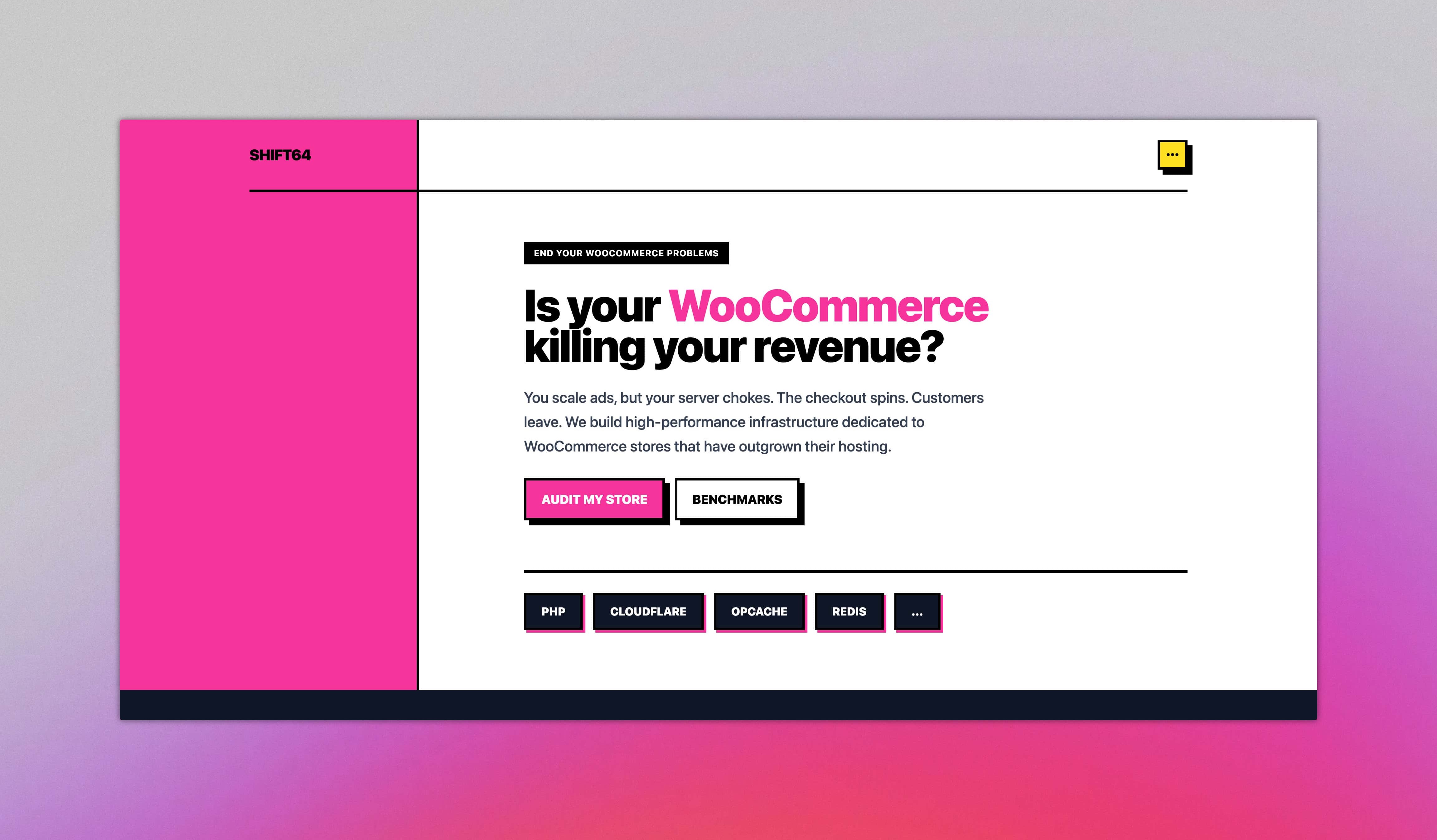
SHIFT64 is a digital agency focused on high-performance WooCommerce infrastructure. When it came time to build our own website, we needed a framework that matched our philosophy: speed, flexibility, and no unnecessary bloat. Astro was the natural choice.
Why Astro?
Astro ships zero JavaScript by default. For a content-heavy site like ours, this translates directly into faster page loads and better Core Web Vitals. But performance was only part of the equation.
Island Architecture lets us sprinkle interactivity exactly where we need it. A static pricing page stays static. A consent banner or contact form hydrates independently. No monolithic JavaScript bundle forcing users to download code they will never execute.
Content Collections give us type-safe content management without a heavy CMS. We define schemas, and Astro validates our data at build time. Broken links, missing fields, or malformed dates get caught before deployment.
Shuffle Templates + Tailwind CSS gave us a head start on design. We used Shuffle neubrutalism templates as a foundation—bold outlines, flat colors, strong shadows—and customized them with Tailwind to create a distinctive visual identity. The result is a look that stands out in a sea of generic agency websites while maintaining full design control through utility classes.
What We Built
This case study walks through three custom features we implemented:
-
Lessons Module — A protected content delivery system with token-based access and direct Brevo integration for efficient marketing consent updates.
-
Custom Offers CMS — An internal tool built on Cloudflare D1 for sending instant, custom audit proposals to clients.
-
Consent & Analytics Module — A privacy-first approach that loads services dynamically based on environment configuration.
Each section covers the architecture decisions, the tradeoffs we made, and practical takeaways you can apply to your own projects.
Lessons Module: Protected Content Delivery
Our WooCommerce Performance Course needed a way to deliver exclusive training materials to registered users. Rather than bolting on a heavy LMS plugin, we built a lightweight system using Astro’s content collections and middleware.
Course Structure
The content follows a simple hierarchy: a course contains lessons, and each lesson contains the actual learning material. Lessons are stored as MDX files, which means we can mix Markdown prose with interactive components like audio players.
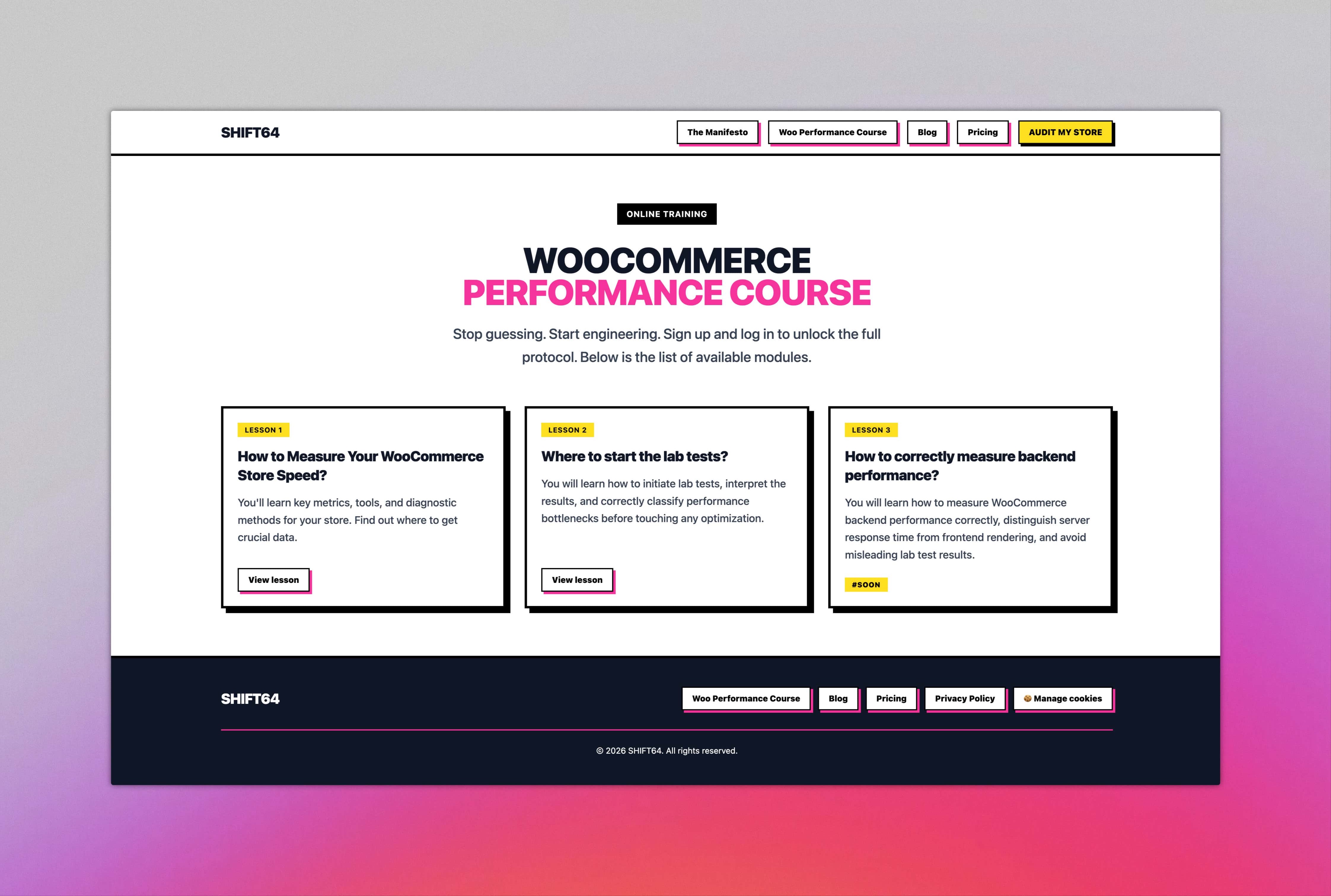
Each lesson defines its metadata in frontmatter—title, lesson number, description, and whether it is published. Astro validates this schema at build time, catching any missing fields before deployment. Unpublished lessons appear in the navigation with a “#SOON” badge, giving users visibility into what is coming next.
Token-Based Access
We implemented a passwordless authentication flow. Users sign up with their email, and when they want to access content, they request a magic link. That link contains a short-lived token (15 minutes) that, once verified, creates a longer session (30 days).
The experience is frictionless: no passwords to remember, no account management overhead. Users click a link in their inbox and they are in. The session token lives in an httpOnly cookie, keeping it secure from client-side scripts.
Backend Validation with Brevo
When a user requests access, we don’t just generate a token blindly. The API route connects directly to Brevo’s API to verify the contact’s status. It checks if the email exists in our specific “Course Participants” list and verifies they have given marketing consent.
Only if these checks pass does the system generate the magic link. This ensures that only authorized users who have opted-in can access the educational content, keeping our email capability compliant and our content secure.
Middleware Protection
Astro’s middleware runs on every request before the page renders. Our middleware extracts the session cookie, verifies the token, and sets an isAuthenticated flag that pages and components can read.
Protected content uses a Paywall component. When authenticated, users see the full lesson. When not, they see a preview with a gradient fade and a prompt to log in. The protection happens server-side—there is no hidden content in the HTML for unauthenticated users to inspect.
The Learning Experience
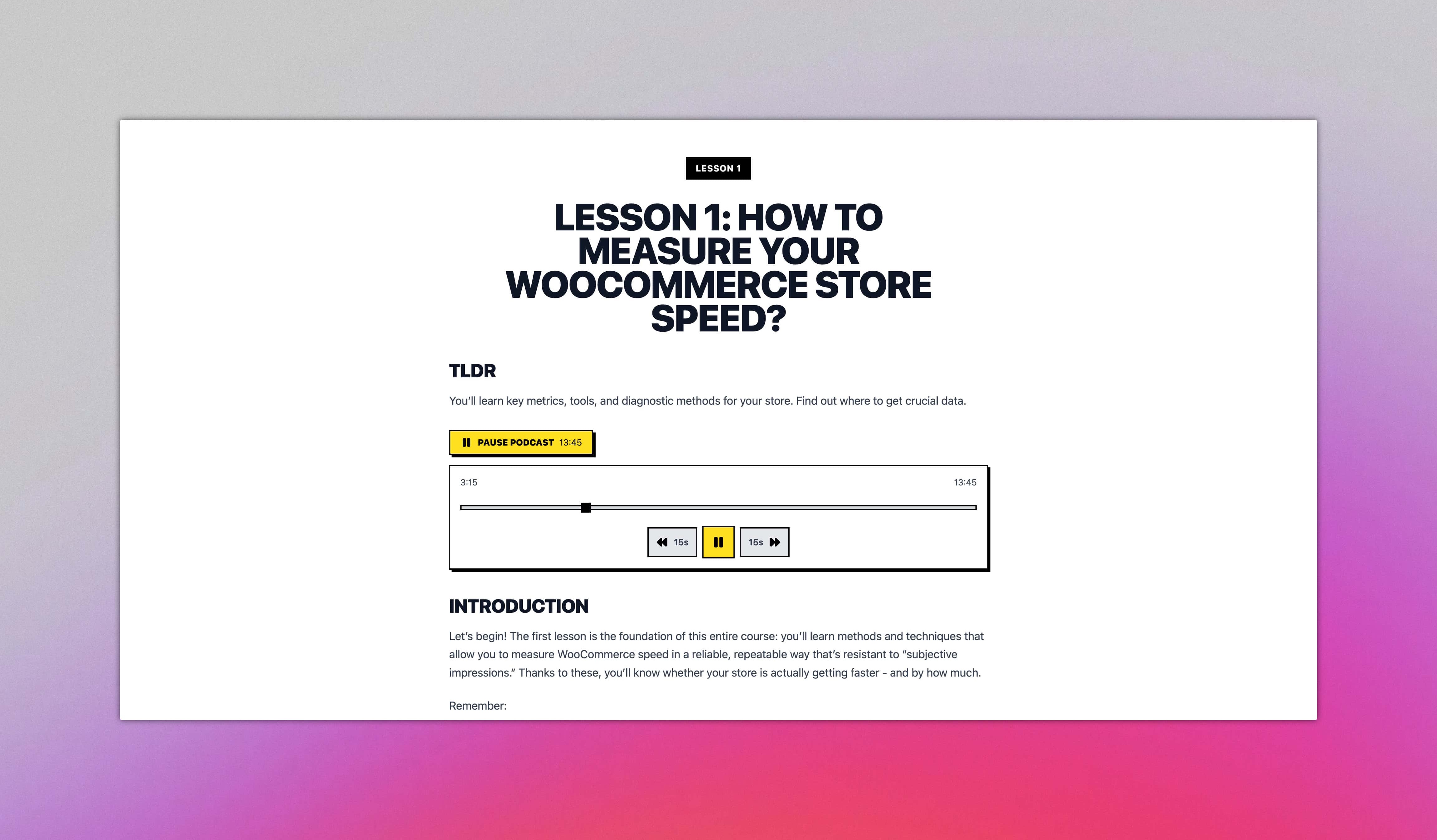
Navigation between lessons is straightforward. Each lesson page includes previous and next buttons that respect the lesson numbering. Users can also jump back to the course overview at any time to see all available lessons.
We kept the experience intentionally simple. No progress bars, no completion certificates, no gamification. The focus stays on the content itself. Analytics tracking happens in the background for our business intelligence, but it does not affect the user interface.
Custom Offers CMS: Cloudflare D1 & Fast Edits
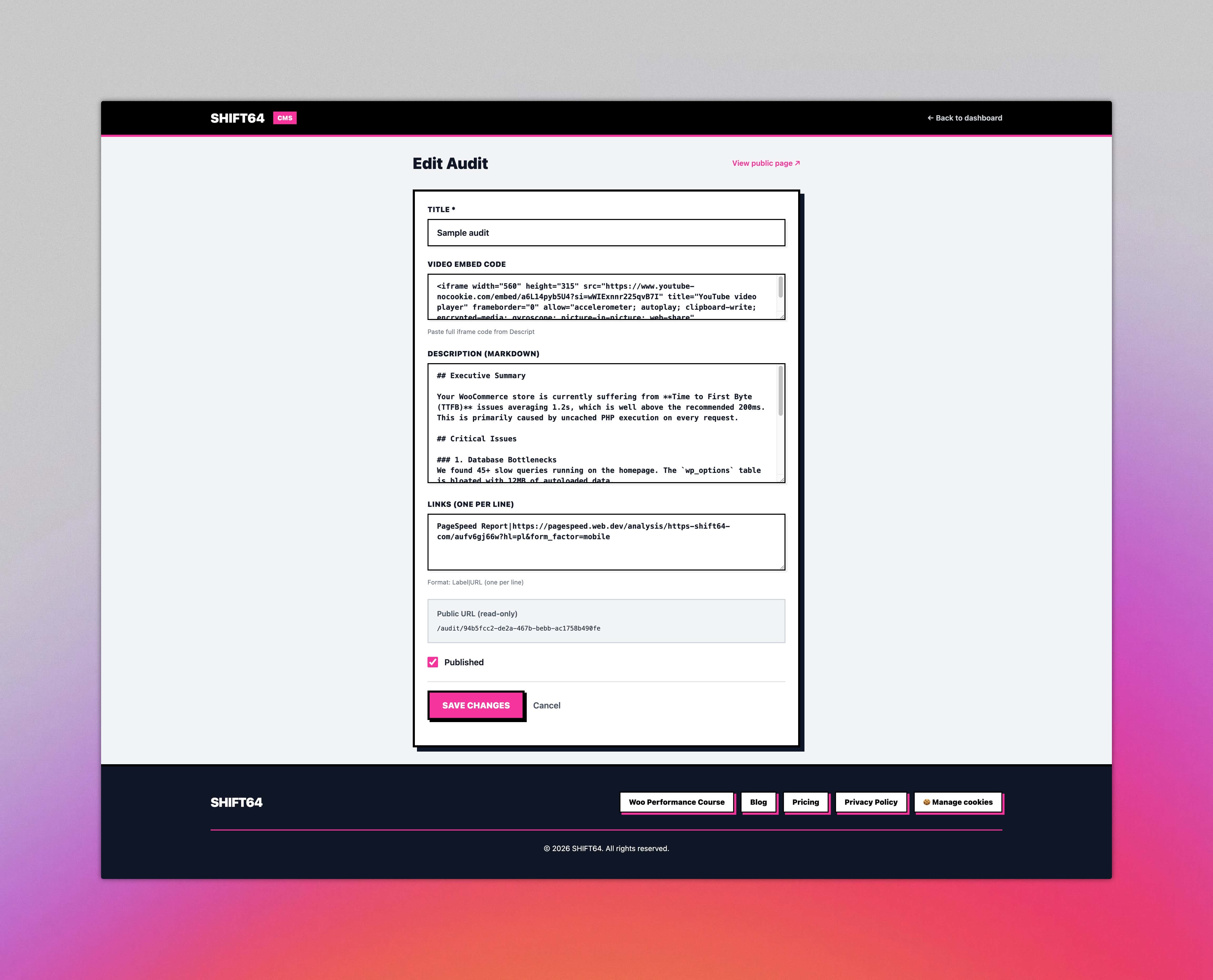
Originally, we considered a file-based approach for our pricing and offers, but we needed something more robust for custom client proposals. We built an internal CMS that allows us to generate unique, uuid-slugged offer pages (e.g., see a sample audit) instantly.
Powered by Cloudflare D1
We chose Cloudflare D1—a serverless SQL database—to store our offer data. This gives us incredible read performance at the edge, ensuring that clients see their audits instantly, no matter where they are located.
The CMS is simple but powerful. We can create a new audit offer, set the title, embed a video (like a Loom or Descript walkthrough), and write the micro audit in Markdown.
The Workflow
- Create Offer: We generate a new entry in the Admin dashboard.
- Write Content: We draft the specific findings and recommendations in Markdown.
- Embed Media: We drop in a video embed code for a personal walkthrough.
- Publish: One click pushes it live to the edge.
Because the data lives in D1 and the frontend is Astro, the pages are dynamic but feel as fast as static content. There’s no build step required to update an offer—changes are live the moment we hit save.
Consent & Analytics Module: Privacy-First Tracking
GDPR compliance is not optional, but that does not mean analytics has to be an afterthought. We built a consent system that respects user choices while maintaining the insights we need to improve the site. The guiding principle: the site works perfectly without any consent given.
The Consent Banner
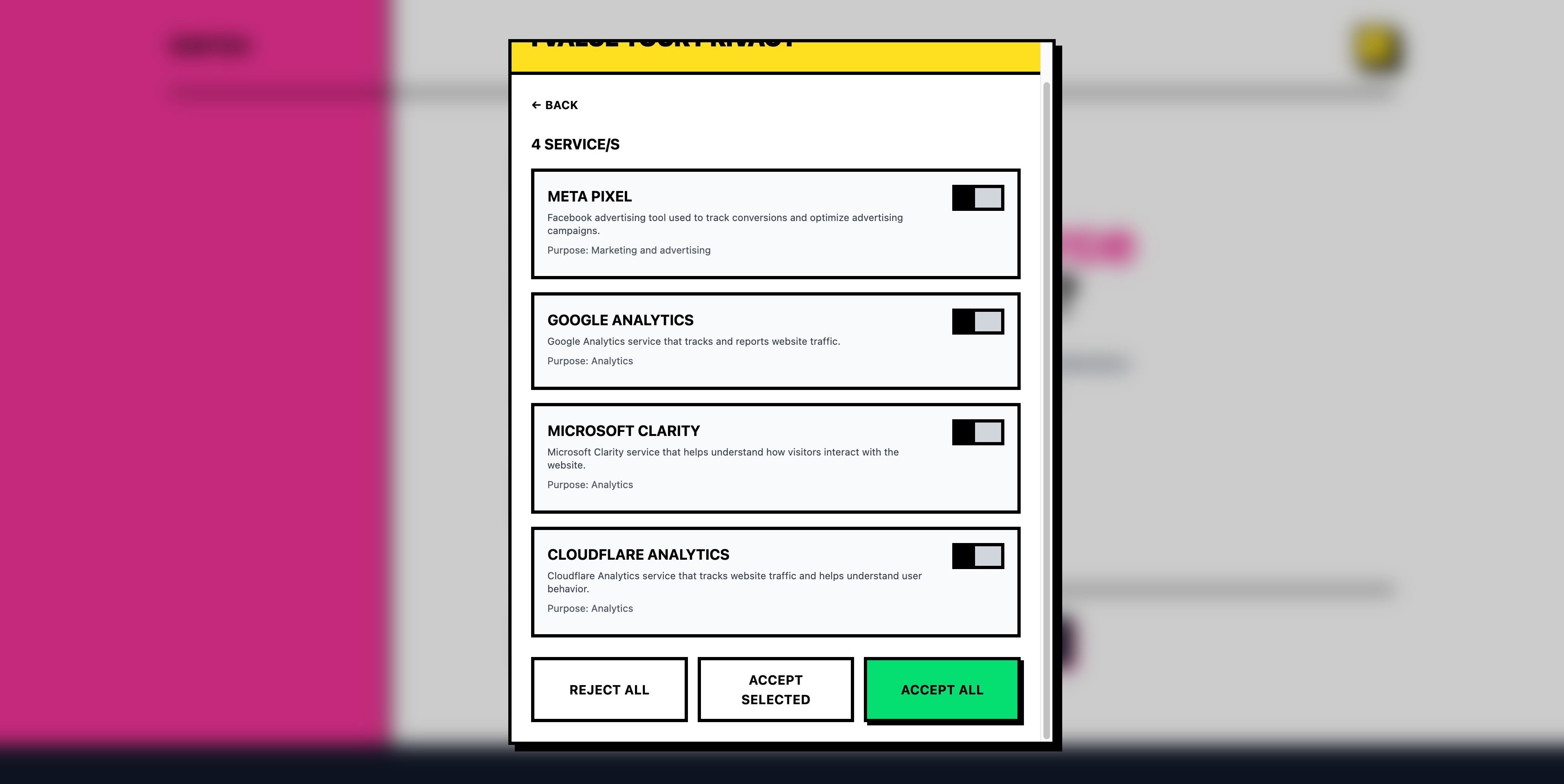
When visitors first arrive, they see a consent banner with three clear options: Accept All, Reject All, or Customize. No dark patterns, no pre-checked boxes, no confusing language. The banner explains what we track and why.
Choosing “Customize” reveals individual toggles for each tracking service. Users can enable analytics while blocking marketing pixels, or vice versa. Their choice persists for 180 days across all subdomains.
Consent Categories
We track four services, each serving a distinct purpose:
-
Google Analytics (GA4) — Traffic patterns, page performance, and user journeys. Helps us understand which content resonates.
-
Microsoft Clarity — Heatmaps and session recordings. Shows us where users click, scroll, and get stuck.
-
Meta Pixel — Conversion tracking for advertising campaigns. Only relevant when running paid social.
-
Cloudflare Analytics — Performance metrics at the edge. Lightweight and privacy-focused.
Environment-Based Loading
To keep our system flexible, we architected the ConsentManager to check for the existence of specific environment variables before even offering a service.
If META_PIXEL_ID is present in the .env (or Cloudflare secrets), the Meta Pixel service is loaded into the consent engine. If we remove that variable, the service completely disappears from the frontend—no code delivered, no options shown to the user. This allows us to turn tracking tools on and off infrastructure-wide without deploying code changes.
Graceful Degradation
Here is the key architectural decision: every tracking service defaults to “denied” until explicit consent. This is not just a legal checkbox—it is how the system actually works.
Google Analytics uses Consent Mode v2. Before the gtag script even loads, we set all storage permissions to denied. No cookies get written, no data collected. When users grant consent, we update the consent state and GA begins tracking. Revoke consent later? The state updates again and tracking stops.
Microsoft Clarity follows the same pattern with its own Consent Mode v2 implementation. The script loads, but waits for our signal before recording anything.
Meta Pixel checks consent before initializing. If denied, fbq('consent', 'revoke') ensures the pixel stays dormant. Granting consent triggers fbq('consent', 'grant') and tracking begins.
Cloudflare Analytics is the one service that loads automatically on Cloudflare Pages. For users who decline, we run a cookie blocker that monitors and deletes any __cfz_zaraz cookies every 500 milliseconds. It is aggressive, but it ensures compliance.
The User Experience
The consent flow prioritizes clarity over conversion. We want informed consent, not grudging acceptance.
First visit shows the banner. Users make a choice. The banner disappears with a smooth animation. Done. No nagging popups, no repeated asks, no banner creeping back after a few pages.
Need to change your preferences later? A link in the footer reopens the consent panel. Users can update their choices anytime without hunting through settings menus.
The site itself works identically regardless of consent status. No degraded experience, no “please enable cookies” warnings, no features locked behind consent walls. Analytics are for us, not a prerequisite for the user.
Cross-Tab Synchronization
One subtle feature: consent syncs across browser tabs. Grant consent in one tab, and other open tabs update immediately via storage events. The consent state also shares across subdomains through cookie domain settings. Log in on www.shift64.com, and your preference applies to course.shift64.com too.
This dual storage approach—localStorage for speed, cookies for cross-domain sharing—handles edge cases that simpler implementations miss.
The Blog You’re Reading
The blog itself uses Astro’s content collections with MDX for flexible authoring—mixing Markdown with interactive components. Code blocks get Shiki syntax highlighting at build time and a copy-to-clipboard button that appears on hover, making it easy to grab snippets directly into your editor.
Wrapping Up
Building SHIFT64’s website reinforced what we already believed: the best tools are the ones that get out of your way. Astro gave us the performance baseline. The rest—protected content delivery, type-safe pricing configurations, privacy-first analytics—we built ourselves.
That is the approach we bring to every project. We do not just configure off-the-shelf solutions and call it done. We dig into requirements, understand tradeoffs, and build systems that actually fit the problem. Whether that means shipping zero JavaScript for a marketing page or engineering a token-based authentication flow, we choose the right tool for the job.
The result is infrastructure you can trust. Fast, maintainable, and designed around real user needs rather than framework defaults.
If you are running a WooCommerce store and thinking about performance, hosting, or long-term care, we should talk. Our Black Box Deception page breaks down exactly what we offer and why transparent infrastructure matters. No pressure—just the information you need to make an informed decision.